
MySmartfren
The self-service app for Smartfren's mobile subscribers in Indonesia — check your quota, top up, buy a plan, pay a bill, and get help, without calling anyone.
Shipped as MySmartfren; the listing now carries the app's later name, mySF.
MySmartfren is the self-service app for Smartfren, one of Indonesia's mobile network operators. Everything a subscriber would normally call the contact centre about — how much quota is left, topping up, buying a package, paying a bill, chasing a problem — happens in the app instead.
Know where you stand
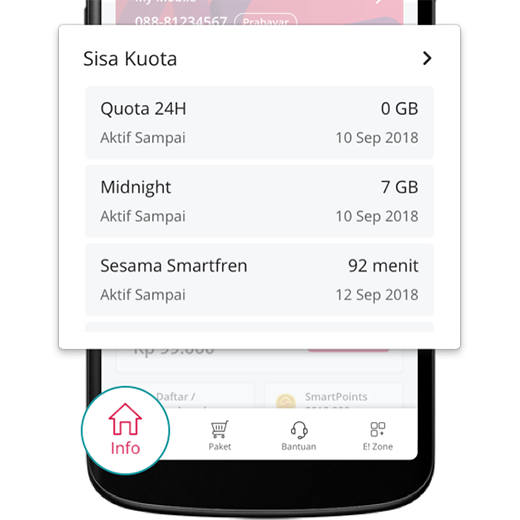
The home screen answers the two questions customers open the app for: how much data is left, and how much credit. Remaining quota is broken out per allowance — the 24-hour bucket, the midnight bucket, on-net minutes — each with the date it expires, so it's clear what's about to run out and what isn't.
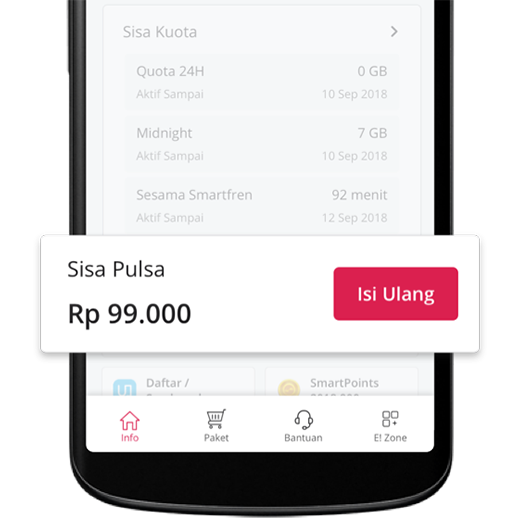
Balance sits alongside it with a top-up button one tap away.
Buy a plan, pay for it six ways
Packages are browsed by category — internet, entertainment, roaming, add-ons — and each one opens to its full terms before purchase: the price, the FUP, the billing behaviour, and the loyalty points it earns.
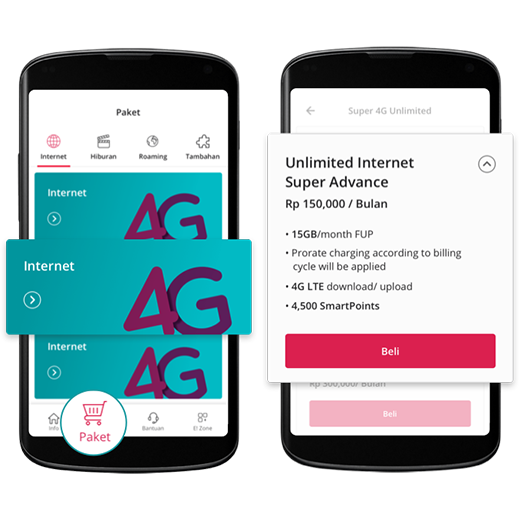
Paying for it is the part that had to be flexible, because Indonesian customers don't all pay the same way:
- Credit card, one-off or as a standing auto top-up
- OVO and Uangku e-wallets, one-time or automatic
- Sinarmas virtual account, and Sinarmas bank auto-debit
- Scratch vouchers, for customers topping up from a kiosk
Postpaid customers get the other side of it — a bill list, a line-item bill detail, and payment in the same flow.
One account, many lines
A single login can hold several numbers. Each one is added, verified by SMS, and then switched between from inside the app — useful for families and small businesses running more than one line, and for customers who own a MiFi portable router, which is administered from the same place as a phone number.
Around that sit the things that make a telco app usable day to day: number settings (call forwarding, call waiting, SMS forwarding, long SMS), prepaid SIM registration and unregistration, a SmartPoints loyalty balance that can be redeemed for rewards, an E! Zone entertainment section, product info and tips, and a store locator that maps Smartfren galleries against your location.
Getting help
Support is three routes, depending on urgency: live chat with an agent, email, or a trouble ticket the customer can file and then track.
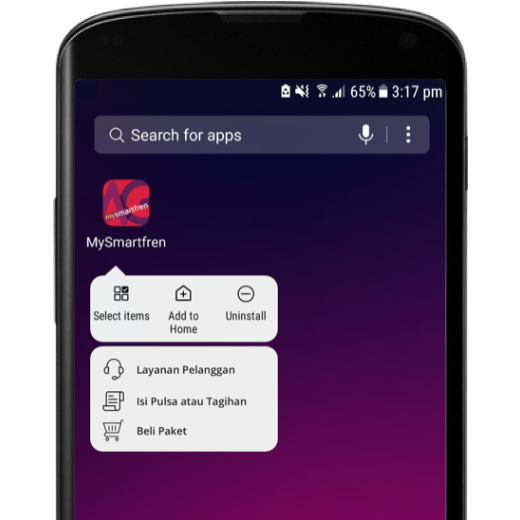
Common actions are also lifted onto the launcher icon, so topping up or buying a package is reachable with a long-press from the home screen.
Under the hood
Built with React Native and TypeScript for iOS and Android from one
codebase, talking to Smartfren's REST services through an Apollo GraphQL
client — GraphQL queries on the app side, apollo-link-rest bridging to the
carrier's existing endpoints.
The whole interface runs in English and Bahasa Indonesia, switchable in settings and following the device locale by default. Because the app holds account credentials and payment methods, sessions are stored in the platform keychain and the app checks for rooted or jailbroken devices before it will run.
Releases went out through App Center with crash reporting and analytics wired in, and the critical flows were covered by Detox end-to-end tests running on both platforms in CI.